
3.5 KiB
Table of Contents
Forking Monkeytype
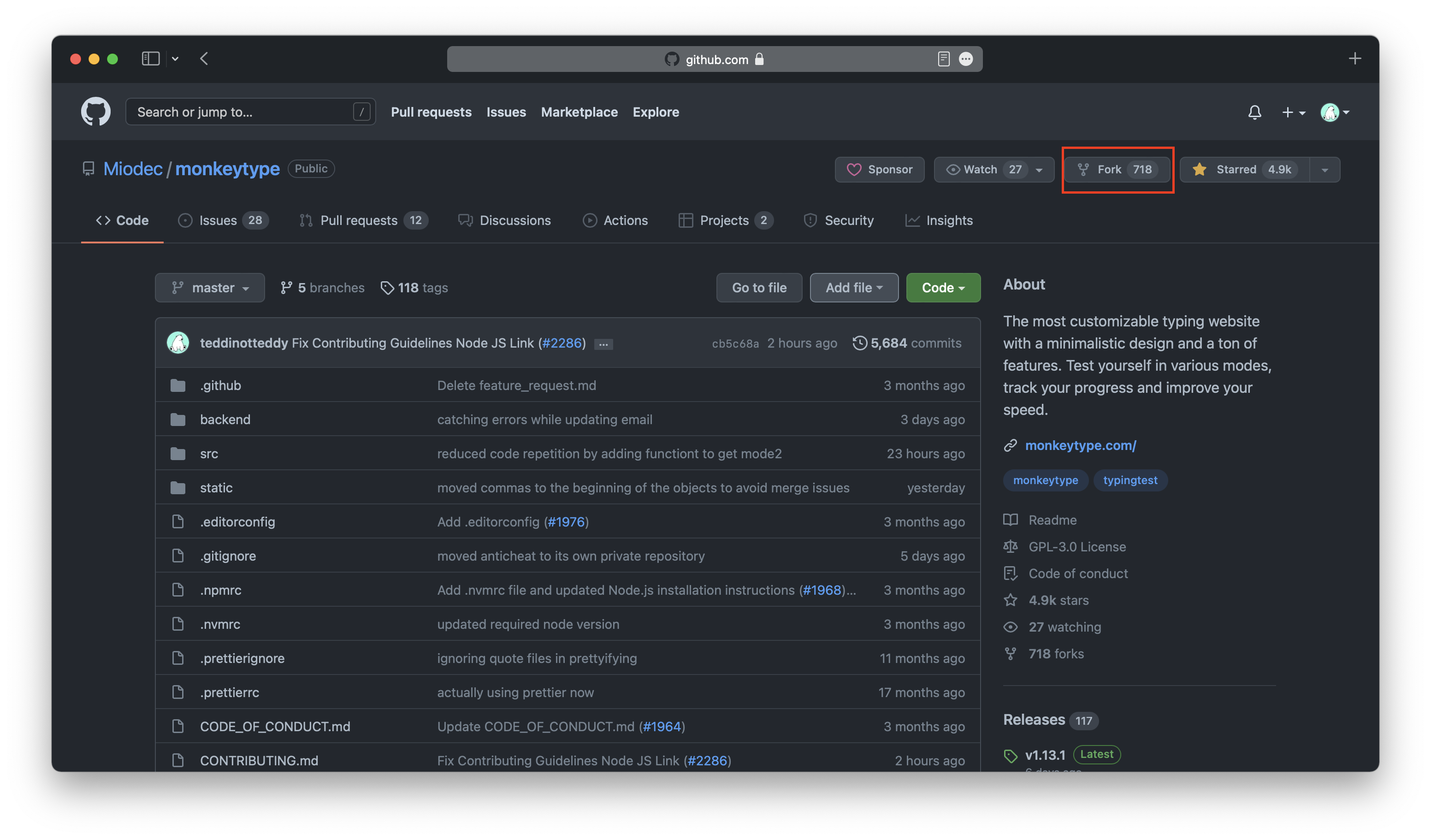
First you will have to make a personal copy of the Monkeytype repository, also known as "forking". Go to the Monkeytype repo and then click the "fork" button.
Creating Themes
Pick a name for your theme. It must be all lowercase, with spaces replaced by underscores.
Go to ./packages/schemas/src/themes.ts and add your new theme name to the end of the ThemeNameSchema enum. Make sure to end the line with a comma.
export const ThemeNameSchema = z.enum([
  "8008",
  "80s_after_dark",
  ... all existing theme names
  "your_theme_name",
]);
Then, go to ./frontend/src/ts/constants/themes.ts and add the following code to the end of the themes object near to the very end of the file:
export const themes: Record<ThemeName, Theme>  = {
  ... all existing themes
  your_theme_name: {
    bg: "#ffffff",
    caret: "#ffffff",
    main: "#ffffff",
    sub: "#ffffff",
    subAlt: "#ffffff",
    text: "#ffffff",
    error: "#ffffff",
    errorExtra: "#ffffff",
    colorfulError: "#ffffff",
    colorfulErrorExtra: "#ffffff",
  },
}
Here is an image showing what all the properties correspond to:

If you don't want to add any custom styling you can skip the next section.
Adding custom CSS (optional)
Create a CSS file in ./frontend/static/themes/ matching the name you picked earlier. Update the theme configuration in ./frontend/src/ts/constants/themes.ts and add hasCss: true like this:
export const themes: Record<ThemeName, Theme>  = {
  ... all existing themes
  your_theme_name: {
    bg: "#ffffff",
    caret: "#ffffff",
    main: "#ffffff",
    sub: "#ffffff",
    subAlt: "#ffffff",
    text: "#ffffff",
    error: "#ffffff",
    errorExtra: "#ffffff",
    colorfulError: "#ffffff",
    colorfulErrorExtra: "#ffffff",
    hasCss: true,
  },
}
Committing Themes
Once you have created your theme(s), you now need to create a pull request to the main Monkeytype repository. Go to the branch where you created your new theme on GitHub. Then make sure your branch is up to date. Once it is up to date, click "contribute".
Update branch:

Create a pull request:

Add some screenshots of your theme to the pull request. Click "create pull request" and if it gets approved then your new theme is available on Monkeytype for everyone to enjoy.
Theme Guidelines
Make sure your theme follows the Theme guidelines.